22 June 2023 (v2.95)
Purse Identity v2.95 welcomes our Risk-based Authentication feature along with other important security updates, further improves lite profiles, and we made some general improvements. As always, we fixed a few issues.
Release highlight
Risk-based Authentication, also known as RBA, offers a holistic approach to user authentication that provides a more frictionless experience for users while ensuring security and peace-of-mind from a site perspective.
RBA uses a risk calculation to develop a device profile, sometimes referred to as a fingerprint, so that future login attempts are compared against this fingerprint in order to determine the path to authentication, whether that means immediate authentication or perhaps a stepup may be required if it’s determined that the login attempt deviates too far from the device profile.
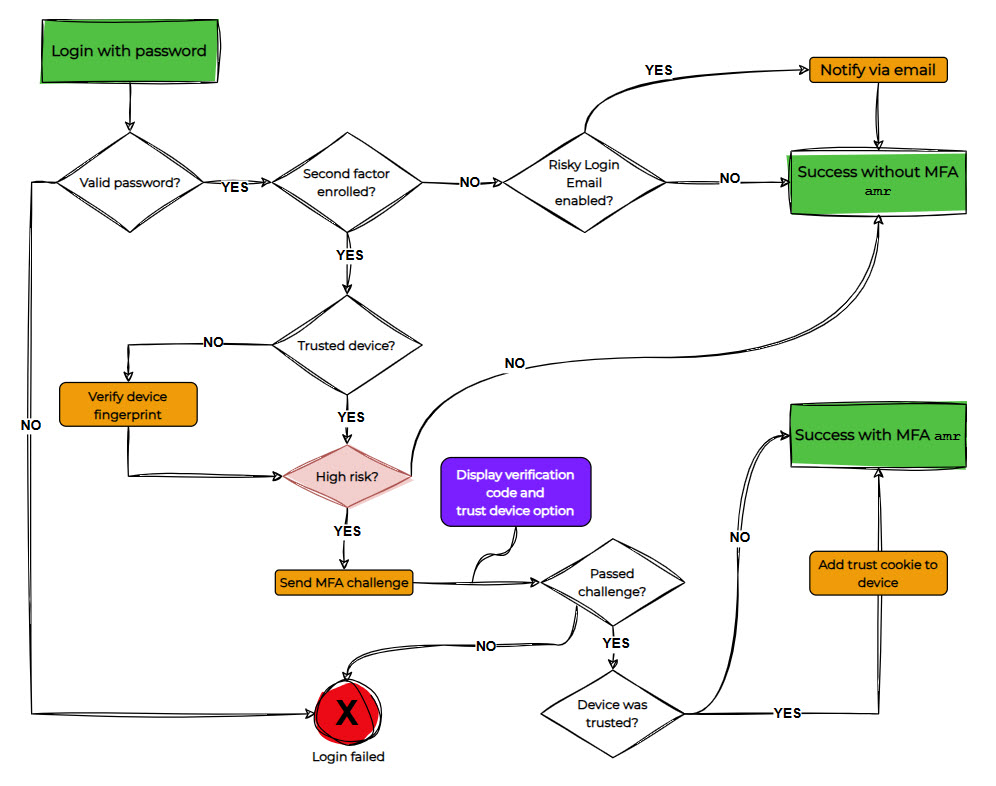
For a complete look at the RBA within Purse Identity, check out Risk-based Authentication.
Security
In addition to the RBA feature release, there are other security updates:
Attack protection policy
To further strengthen our security measures and give you more verbose information for analysis related to attacks, we have added the attacking IP information to Get users/compromised endpoint as well as in the Purse Identity Console for compromised profiles.
See our Identity Fraud Protection page for more information about compromised profiles and attack protection policies with Purse Identity.
Suspending users from console
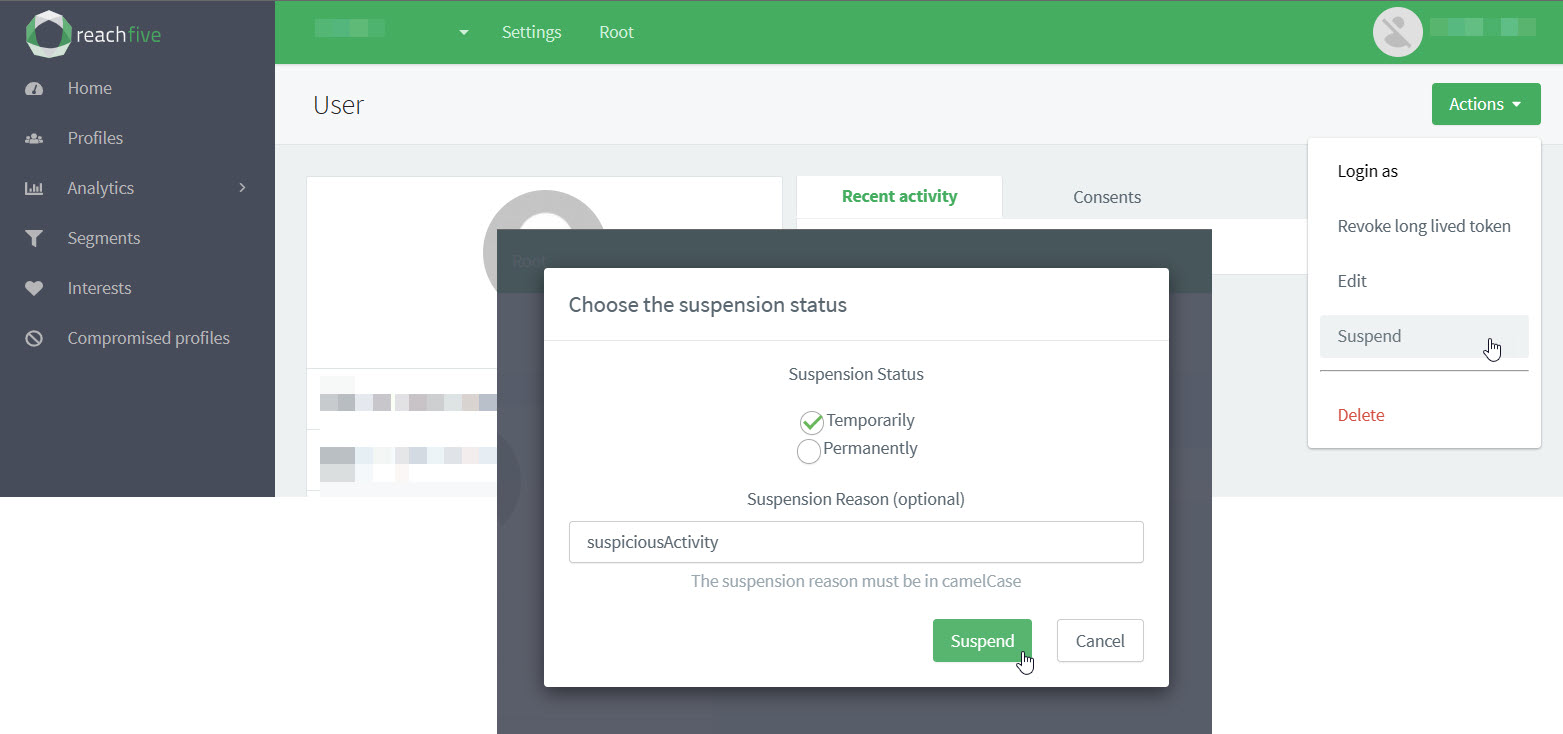
You can now manually suspend users directly from the Purse Identity Console in a temporary fashion. Previously, you could only permanently suspend users from the Purse Identity Console.
See User suspension for more information on managing user suspension.
To temporarily suspend a user from the console:
-
Log in with your credentials to the Purse Identity Console.
-
From the sidebar, go to Profiles.
-
Select the user you want to manage.
-
From the Actions dropdown button, select Suspend.
-
In the dialog, choose to suspend the user temporarily or permanently and give a reason (
camelCaseonly).The suspension type determines which authentication methods are blocked. See Authentication methods by suspension type.
-
Lite profiles
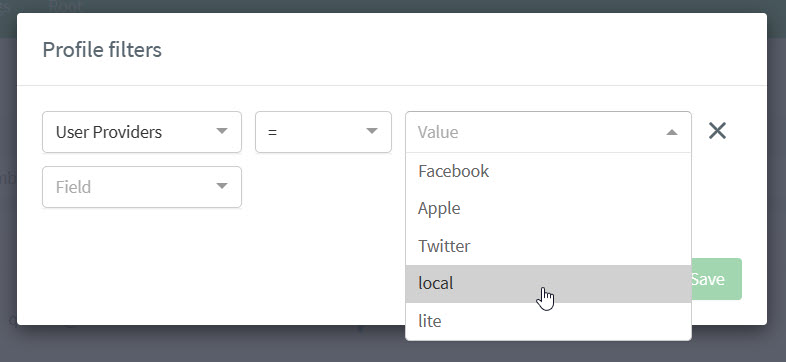
We have improved throttling for lite registration requests, ensuring all requests are handled quickly and efficiently. In addition to this, you can now distinguish between lite and local profiles in the Purse Identity Console.
To do this:
-
Go to .
-
Click the Filter icon.
-
Apply the desired filter.
In this case for example purposes, filter by Use Providers.
Other improvements
-
You can now filter action data for audit logs via the
/audit-logsendpoint.See our dedicated Audit logs page for information on Audit Logs in general with Purse Identity.
-
We have further strengthened our security around HTML-rendered fields.
-
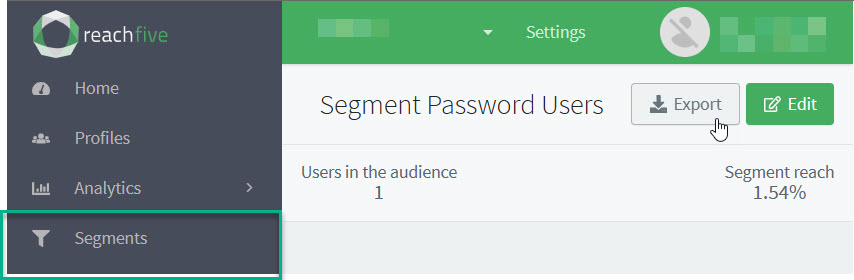
CRM Users can now export profile segments.
-
We have improved the Purse Identity Console so that the session lifetime for users authenticating through Azure AD is now
4hours.For more, see our dedicated Purse Identity Console introduction page.
Fixes
| Item | Fixed |
|---|---|
Some users were unable to access their own credential (Security & Password) information in the Purse Identity Console. |
✓ |
Some operations were expecting filter operator |
✓ |
The |
✓ |
There were some minor issue syncing Azure AD users inside the Purse Identity Console. |
✓ |