FIDO2
FIDO2 is the standard that enables users to leverage common devices to perform authentication functions for online services rather than relying on traditional methods of what a person knows such as usernames or passwords.
| For passkeys, Relying Party ID, and Allowed origins configuration, start with Passkeys. |
Usernames and password credentials have been used since the beginning of the information technology era. Many attacks are built around the inherent weaknesses of passwords (length, strength) or passwords management (re-use, etc.). Some pain points are specifically linked to passwords usage in online purchases.
The new authentication mechanisms reduce the ability and likelihood of being compromised. Biometrics or other secrets like passwords never leave the user’s device and can’t be compromised by a third-party.
FIDO2 Prerequisites
To successfully enable FIDO2:
-
Enable the WebAuthn feature on your Purse Identity account.
You may need to contact support to have this enabled if you do not see it on your Purse Identity Console. -
From your Purse Identity Console:
-
Navigate to Settings > WebAuthn.
-
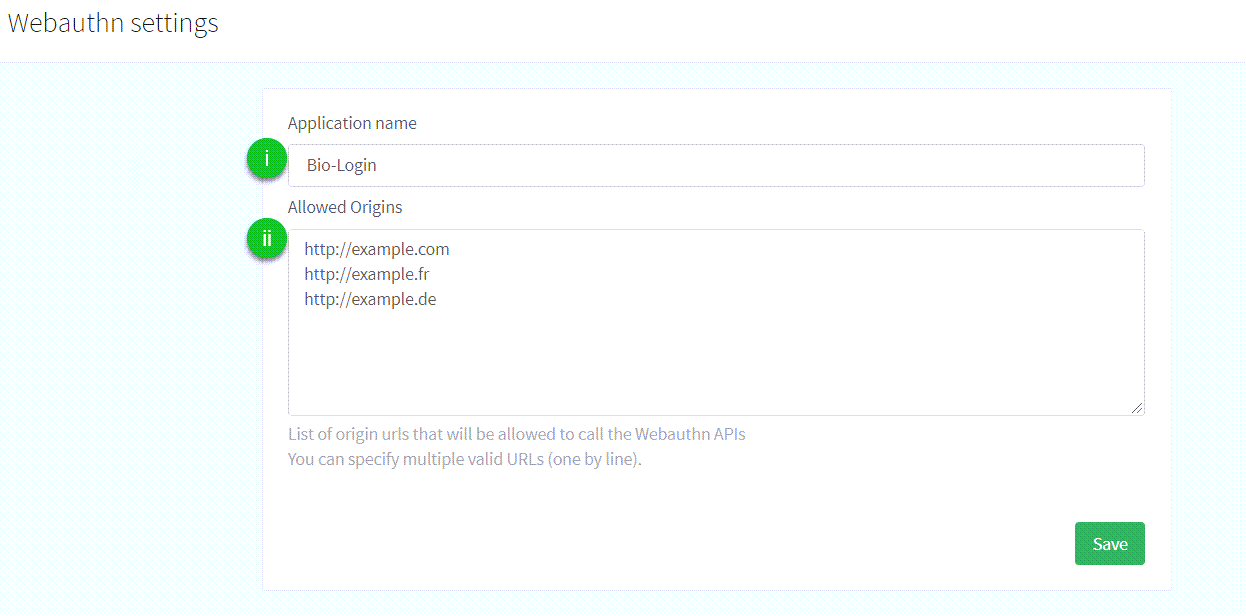
Configure the following:
-
Application name: the name of the application that is displayed to the user during the FIDO2 Registration or Authentication process. There are no particular restrictions on what you can use here. -
Allowed origins: the list of full origin URLs of the pages allowed to complete a WebAuthn flow (for examplehttps://example.comorhttps://www.example.com). The Purse Identity Console labels this field as allowed URLs only, but those URLs also act as allowed Relying Party IDs. Enter the RP ID here as an origin URL; the hostname of theoriginyou send becomes the RP ID.
See WebAuthn and passkey allowed origins for how Allowed origins map to the RP ID, including single-origin and dual-origin setups. -
-
|
Supported WebAuthn features on the web include:
|
Next Steps
SDK Core integration
To let your user add a new device to his account, you can use the addNewWebAuthnDevice method. Check the following page for complete documentation: SDK Core addNewWebAuthnDevice method. The user needs to be logged-in to perform this action.
To let your user log into Purse Identity using the FIDO2 login process, you can use the loginWithWebAuthn method. Check the following page for complete documentation: SDK Core loginWithWebAuthn method.
SDK UI integration
If you plan on using the widgets provided by Purse Identity, you’ll have to enable the authentication via WebAuthn in the widget settings. Check the following page for more details: SDK UI showAuth method.
SDK Android integration
Refer to the FIDO2 guide to implement the FIDO2 authentication workflow on Android applications.
What your users see
Once configuration is complete, your users are presented with the following screen.
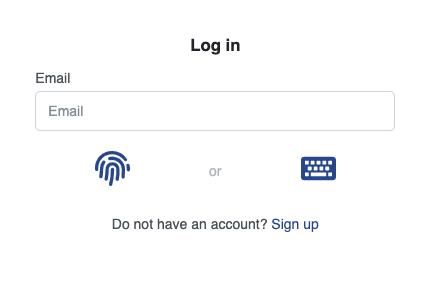
| They have the choice of signing in using the FIDO2 biometrics flow or the usual password flow. |
Glossary
- Relying party
-
The entity whose web application utilizes the Web Authentication API to register and authenticate users. In our context, this is Purse Identity touch points.
- Authorization gesture
-
An authorization gesture is a physical interaction performed by a user with an authenticator as part of a ceremony, such as registration or authentication. By making such an authorization gesture, a user provides consent for (i.e., authorizes) a ceremony to proceed. This may involve user verification if the employed authenticator is capable, or it may involve a simple test of user presence.
- Roaming authenticator
-
A roaming authenticator is attached using cross-platform transports, called cross-platform attachment. Authenticators of this class are removable from, and can "roam" among, client devices. A public key credential bound to a roaming authenticator is called a roaming credential.
- Platform authenticator
-
A platform authenticator is attached using a client device-specific transport, called platform attachment, and is usually not removable from the client device. A public key credential bound to a platform authenticator is called a platform credential.
- WebAuthn
-
Short for the Web Authentication API, a specification written by the W3C and FIDO Alliance, with the participation of Google, Mozilla, Microsoft, Yubico, and others. The API allows servers to register and authenticate users using public key cryptography instead of a password.