VKontakte Connect
To use VKontakte as a social login provider, you will need an App ID and App Secret from your VKontakte app. You’ll then copy these keys into your settings on the Purse Identity Console.
This page details, step-by-step, how to create a VKontakte App and connect it to your Purse Identity account.
Default values for VKontakte
The default values available to Purse Identity from VKontakte are:
-
Email -
Full name -
First name -
Last name -
Gender
Access VKontakte
-
Log in with you account and go to https://vk.com/dev.
-
Click My Apps.

Create a new Application
-
Click on Create an Application.
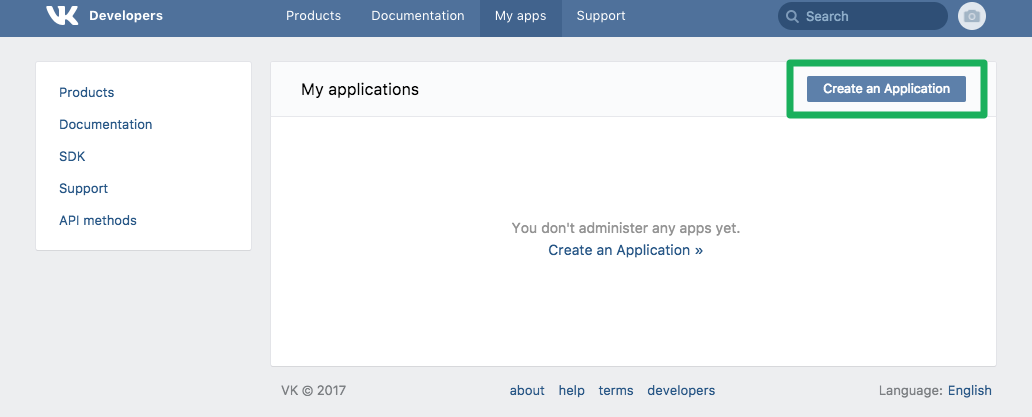
-
Add a Title, choose a Platform, add your Site address as well as your Base domain.
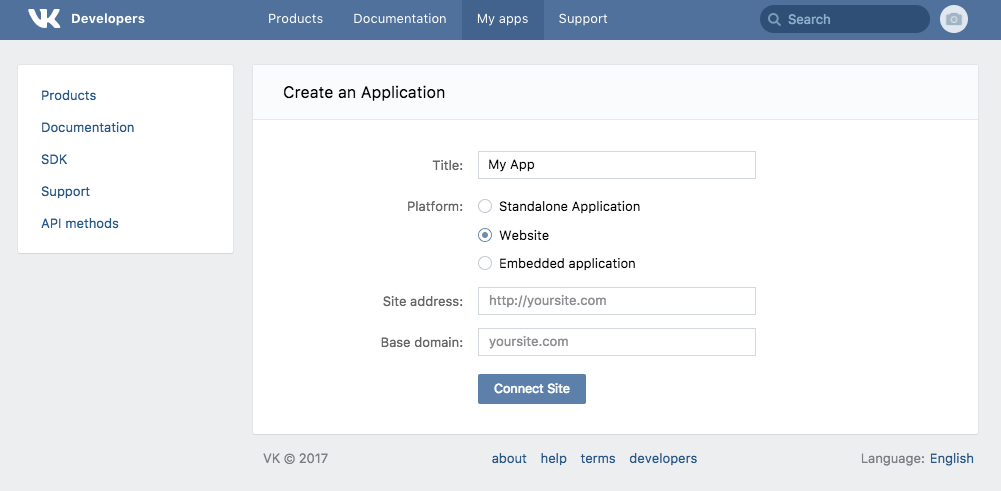
Configure your application
On the following screen:
-
Add
https://YOUR_PURSE_IDENTITY_DOMAIN/login/callbackas the Return URL, whereYOUR_PURSE_IDENTITY_DOMAINis your Purse Identity domain.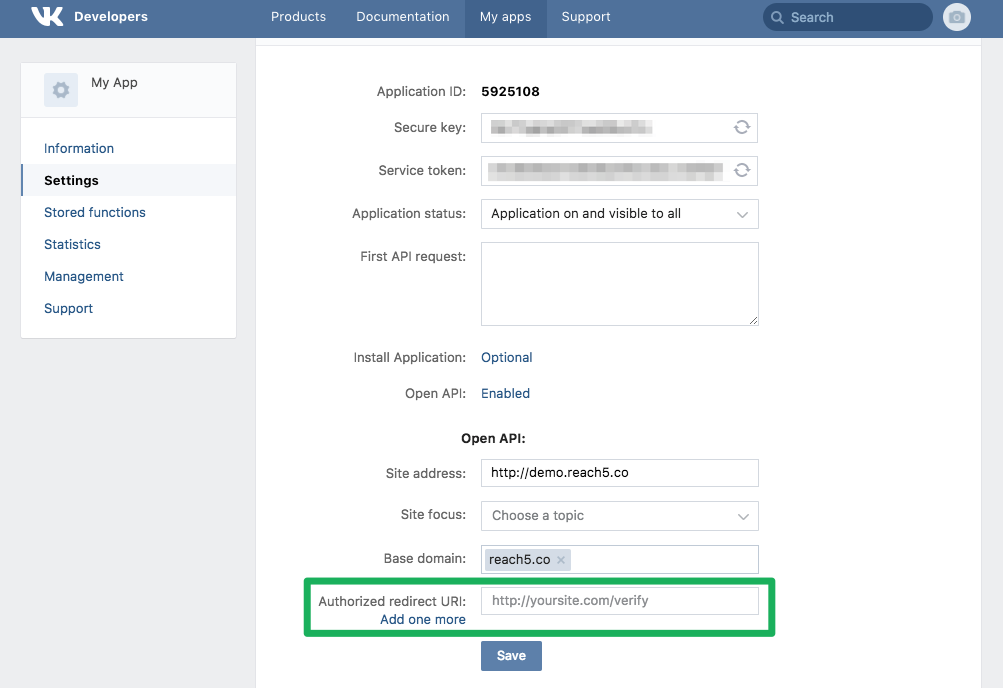
Configure VKontakte as Provider on Purse Identity
-
On the Purse Identity Console, go to . Click VKontakte.
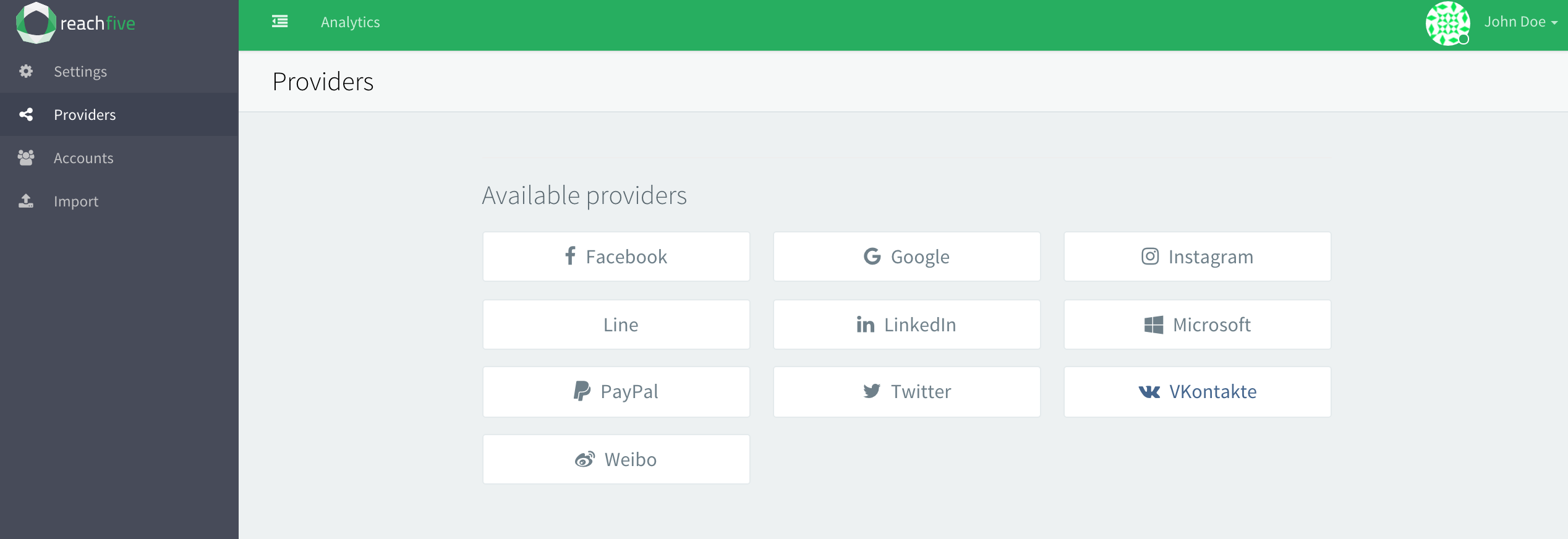
-
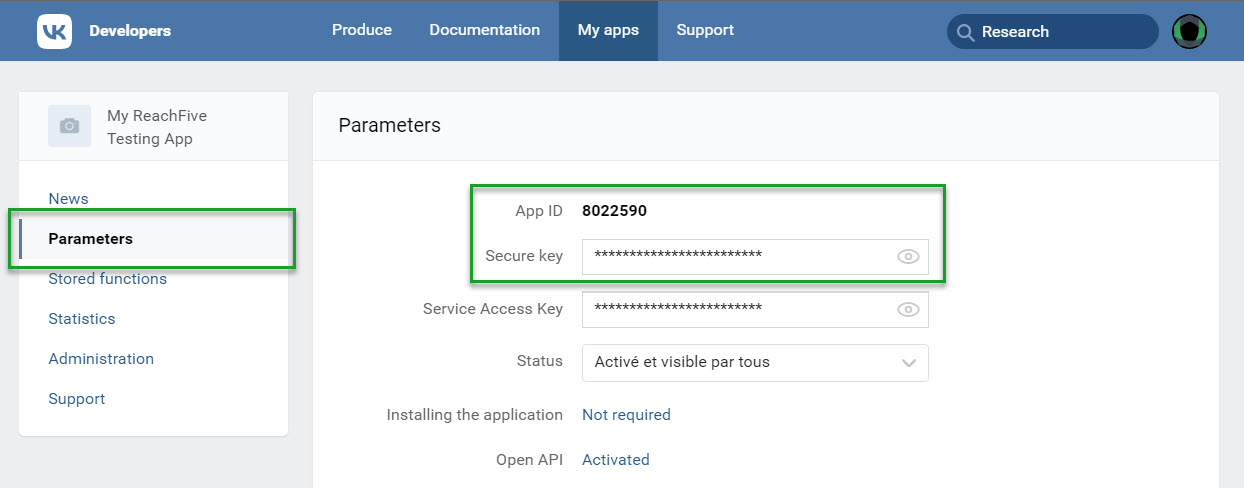
Copy your credentials: App ID and Secure Key.
-
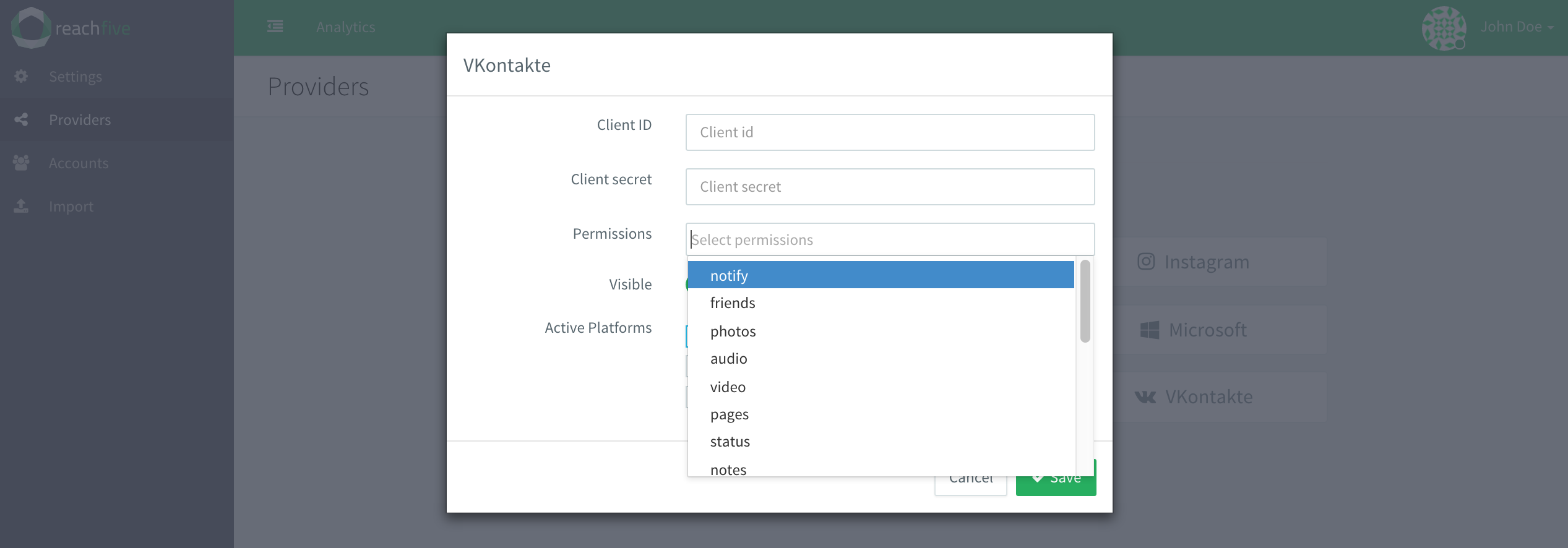
In the Purse Identity Console, paste your VKontakte App ID as the Client ID and your Secure key as the Client secret. Add any required permissions.
-
Don’t forget to Save your input.